> For the complete documentation index, see [llms.txt](https://help.connected.illumina.com/llms.txt). Markdown versions of documentation pages are available by appending `.md` to page URLs; this page is available as [Markdown](https://help.connected.illumina.com/clarity-lims/api-and-database/api-docs/application-examples/page-15/publishing-files-to-lablink.md).
# Publishing Files to LabLink
Some steps produce data that you would like your collaborators to have access to.
This example provides an alternative method and uses a script to publish the files programmatically via the API.
### Solution
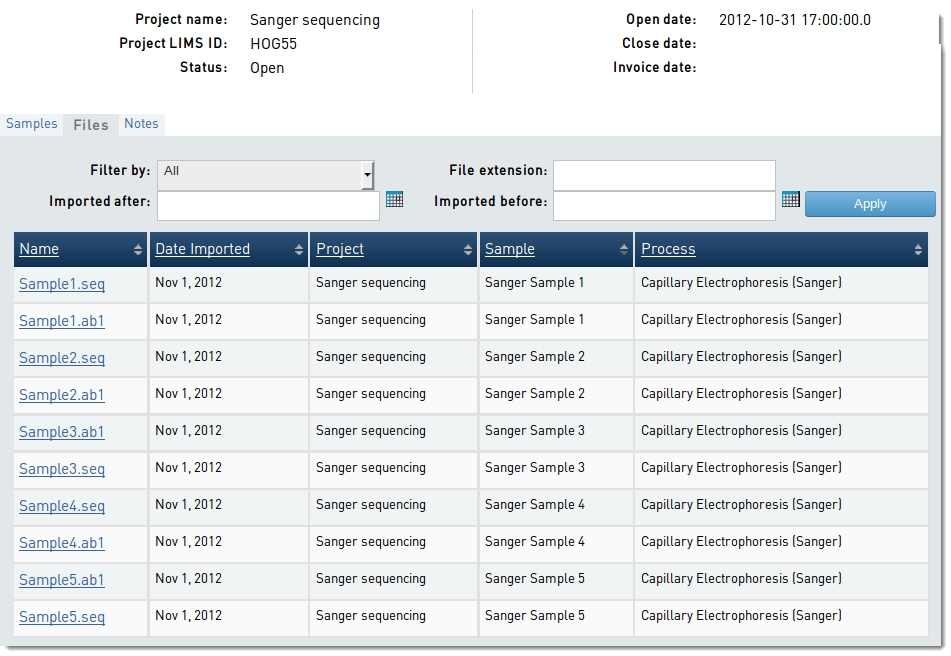
In this example, suppose we have a protocol step, based upon a Sanger/capillary sequencing workflow, that produces up to two files per sample (a **.seq** and a **.ab1** file).
Our example script runs at the end of the protocol step. The script publishes the output files so that they are available to collaborators in the LabLink **Collaborations Interface**.
#### Parameters
The EPP/automation command is configured to pass the following parameters:
| **Parameter** | **Description** |
| ------------- | ------------------------------------------------------------------------------------------------ |
| -u | The username of the current user (Required) |
| -p | The password of the current user (Required) |
| -s | The URI of the protocol step that launches the script - the `{stepURI:v2:http}` token (Required) |
An example of the full syntax used to invoke the script is as follows:
{% code overflow="wrap" %}
```
bash -l -c "/usr/bin/python /opt/gls/clarity/customextensions/publishFilesToLabLink.py -u admin -p securepassword -s https://demo-5-1.claritylims.com/api/v2/steps/24-7953"
```
{% endcode %}
### User Interaction
After the script has completed its execution, collaborators are able to view and download the files from the LabLink **Collaborations Interface**.
### About the code
The main method used in the script is **publishFiles()**. The method in turn carries out several operations:
1. The limsids of the steps' artifacts are gathered, and the artifacts are retrieved, in a single transaction using the 'batch' method.
2. Each artifact is investigated. If there is an associated file resource, its limsid is stored.
3. The files resources are retrieved in a single transaction using the 'batch' method.
4. For each file resource, the value of the \ node is set to 'true'.
5. The files resources are saved back to Clarity LIMS in a single transaction using the 'batch' method.
### Assumptions & notes
* The attached file is placed on the Clarity LIMS server, in the **/opt/gls/clarity/customextensions** folder.
* The Python API Library (glsapiutil.py) is placed on the Clarity LIMS server, in the **/opt/gls/clarity/customextensions** folder. You can download the latest glsapiutil library from our [GitHub page](https://github.com/Illumina/BaseSpace_Clarity_LIMS).
* The example code is provided for illustrative purposes only. It does not contain sufficient exception handling for use 'as is' in a production environment.
### Attachments
publishFilesToLabLink.py:
{% file src="/files/lztAH843fEAlpGEyZLNK" %}
publishFilesToLabLink\_v2.py:
{% file src="/files/OJHcpxe68sY08Y0ol53y" %}
---
# Agent Instructions
This documentation is published with GitBook. GitBook is the documentation platform designed so that both humans and AI agents can read, navigate, and reason over technical content effectively. Learn more at gitbook.com.
## Querying This Documentation
If you need additional information that is not directly available in this page, you can query the documentation dynamically by asking a question.
Perform an HTTP GET request on the current page URL with the `ask` query parameter, and the optional `goal` query parameter:
```
GET https://help.connected.illumina.com/clarity-lims/api-and-database/api-docs/application-examples/page-15/publishing-files-to-lablink.md?ask=&goal=
```
`ask` is the immediate question: it should be specific, self-contained, and written in natural language.
`goal` is optional and describes the broader end goal you are ultimately trying to accomplish on behalf of the user. GitBook uses it to tailor the answer towards what is most useful for that goal.
The response will contain a direct answer to the question and relevant excerpts and sources from the documentation.
Use this mechanism when the answer is not explicitly present in the current page, you need clarification or additional context, or you want to retrieve related documentation sections.