# Manual Upgrade

The NextSeq 500/550 Integration v2.5.0 integration package requires the NextSeq 500/550 v1.3 workflow available from IPP v2.10. If you do not want to upgrade through the IPP, you can manually upgrade the workflow configuration from NextSeq 500/550 v1.2 workflow to v1.3 workflow by following instructions in this guide to generate samplesheet compatible with LRM v4.0.

## Generate NextSeq 500/550 Samplesheet Compatible with LRM v4.0

To support the generation of LRM v4.0-compatible samplesheet, you must modify the **Denature and Dilute** step, and replacement of template files.

### Modify Denature and Dilute Step

**Automation**

1. From Configuration, select the Automation tab.
2. Rename the **Generate bcl2fastq2 NextSeq Samplesheet** automation to **Generate NextSeq Samplesheet**.

<figure><img src="/files/i4bTe9urnthikM70eDIh" alt=""><figcaption></figcaption></figure>

{% hint style="info" %}
The default command line for the automation remains unchanged.
{% endhint %}

**Master Step Fields**

1. From Configuration, select the Custom Fields tab.
2. Select the **Denature and Dilute** Master Step.
3. Add the following master step fields:

   | **Field Name**       | **Field Type** | **Field Constraints/Options** | **Preset Values/Additional Options and Drop-Down Items**                                                     |
   | -------------------- | -------------- | ----------------------------- | ------------------------------------------------------------------------------------------------------------ |
   | Comment              | Multiline Text |                               |                                                                                                              |
   | Genome Folder        | Text           |                               |                                                                                                              |
   | Manifest             | Text           |                               |                                                                                                              |
   | Samplesheet Template | Text Dropdown  | Required Field                | <p>Presets</p><ul><li>NextSeq\_Samplesheet.csv</li><li>NextSeq\_ReverseComplement\_Samplesheet.csv</li></ul> |
   | Taxonomy Database    | Text           |                               |                                                                                                              |
4. Remove the following master step fields:
   * Adapter
   * Adapter Read 2
   * Mask Adapter
   * Mask Adapter Read 2
   * SampleSheet Template
5. Update the following master step fields:

   | **Field Name**  | **Changes Required**                                                                                                                                                                                                                                                       | **Screenshot**                                                                                      |
   | --------------- | -------------------------------------------------------------------------------------------------------------------------------------------------------------------------------------------------------------------------------------------------------------------------- | --------------------------------------------------------------------------------------------------- |
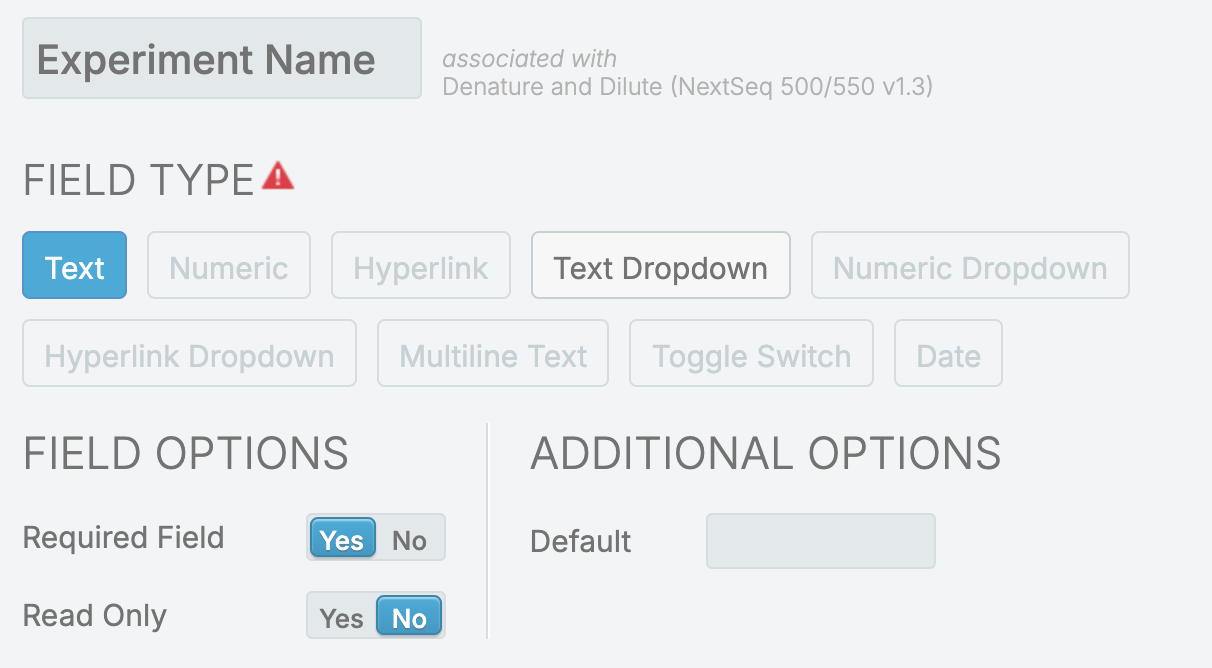
   | Experiment Name | <ul><li>Update Required Field to <strong>Yes</strong></li></ul>                                                                                                                                                                                                            | <div><figure><img src="/files/GgBPdrt4lHCUm8AbXbfS" alt=""><figcaption></figcaption></figure></div> |
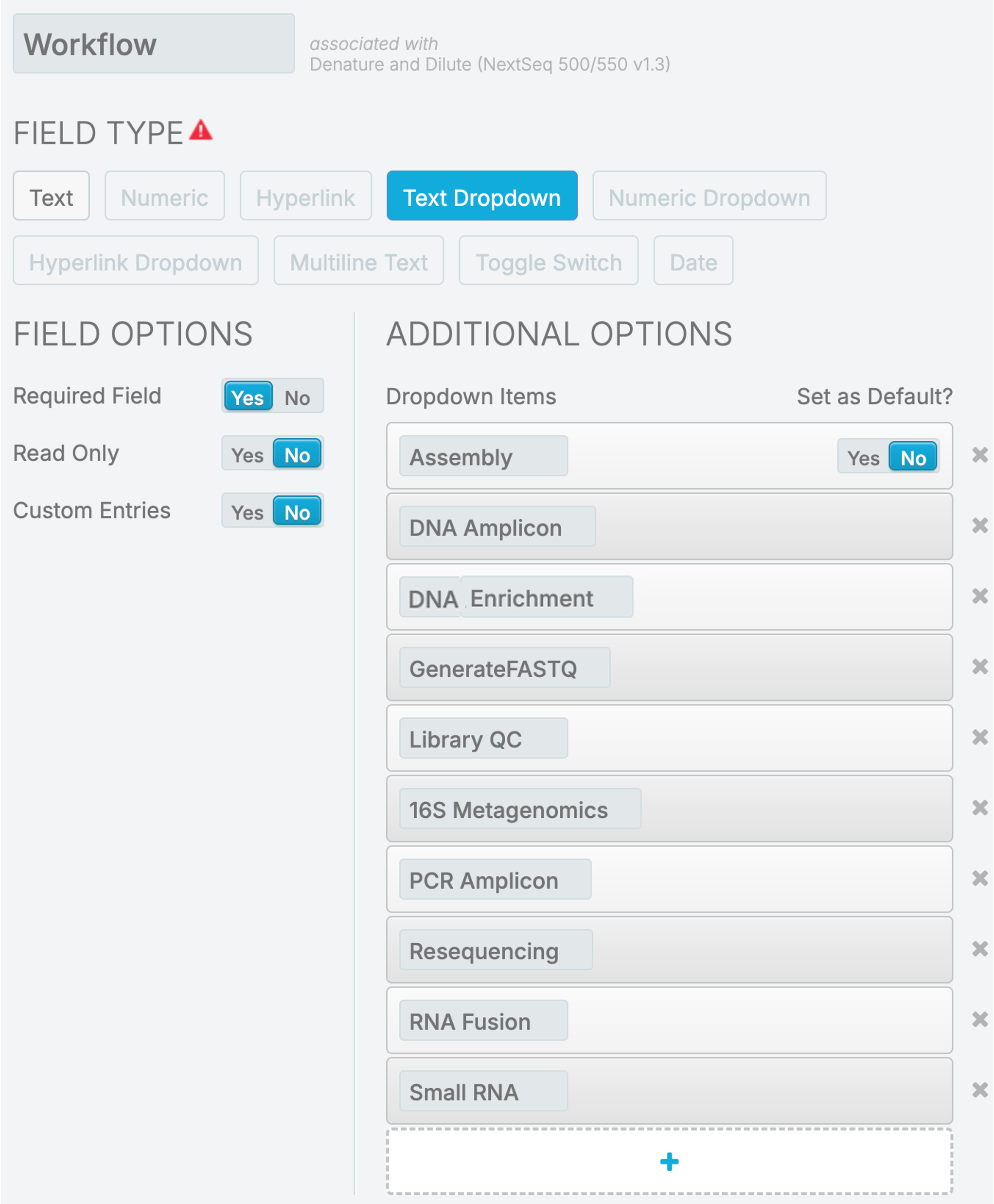
   | Workflow        | <ul><li><p>Update Dropdown presets to</p><ul><li>Assembly</li><li>DNA Amplicon</li><li>DNA Enrichment</li><li>GenerateFASTQ</li><li>Library QC</li><li>16S Metagenomics</li><li>PCR Amplicon</li><li>Resequencing</li><li>RNA Fusion</li><li>Small RNA</li></ul></li></ul> | <div><figure><img src="/files/xlcr979EReAZRbH72asx" alt=""><figcaption></figcaption></figure></div> |

**Group of Defaults**

1. From Configuration, select the Custom Fields tab.
2. Select the **Denature and Dilute** Master Step.
3. Add the following Group of Defaults:

   | **Group of Defaults** | **Details**                                                         | **Screenshot**                                                                                      |
   | --------------------- | ------------------------------------------------------------------- | --------------------------------------------------------------------------------------------------- |
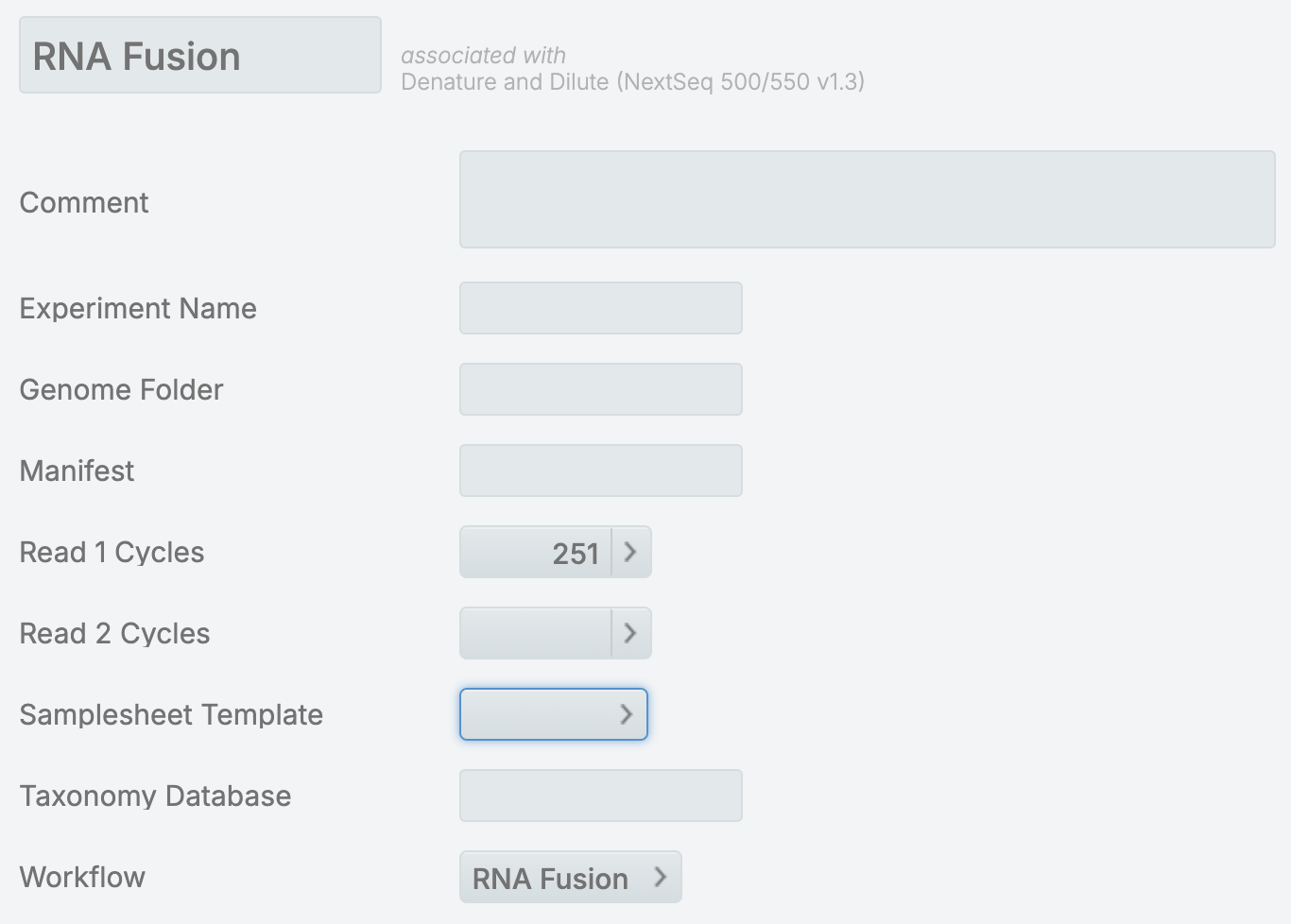
   | RNA Fusion            | <ul><li>Read 1 Cycles = 251</li><li>Workflow = RNA Fusion</li></ul> | <div><figure><img src="/files/HCDuIGcKHTkuYUyjWnwf" alt=""><figcaption></figcaption></figure></div> |
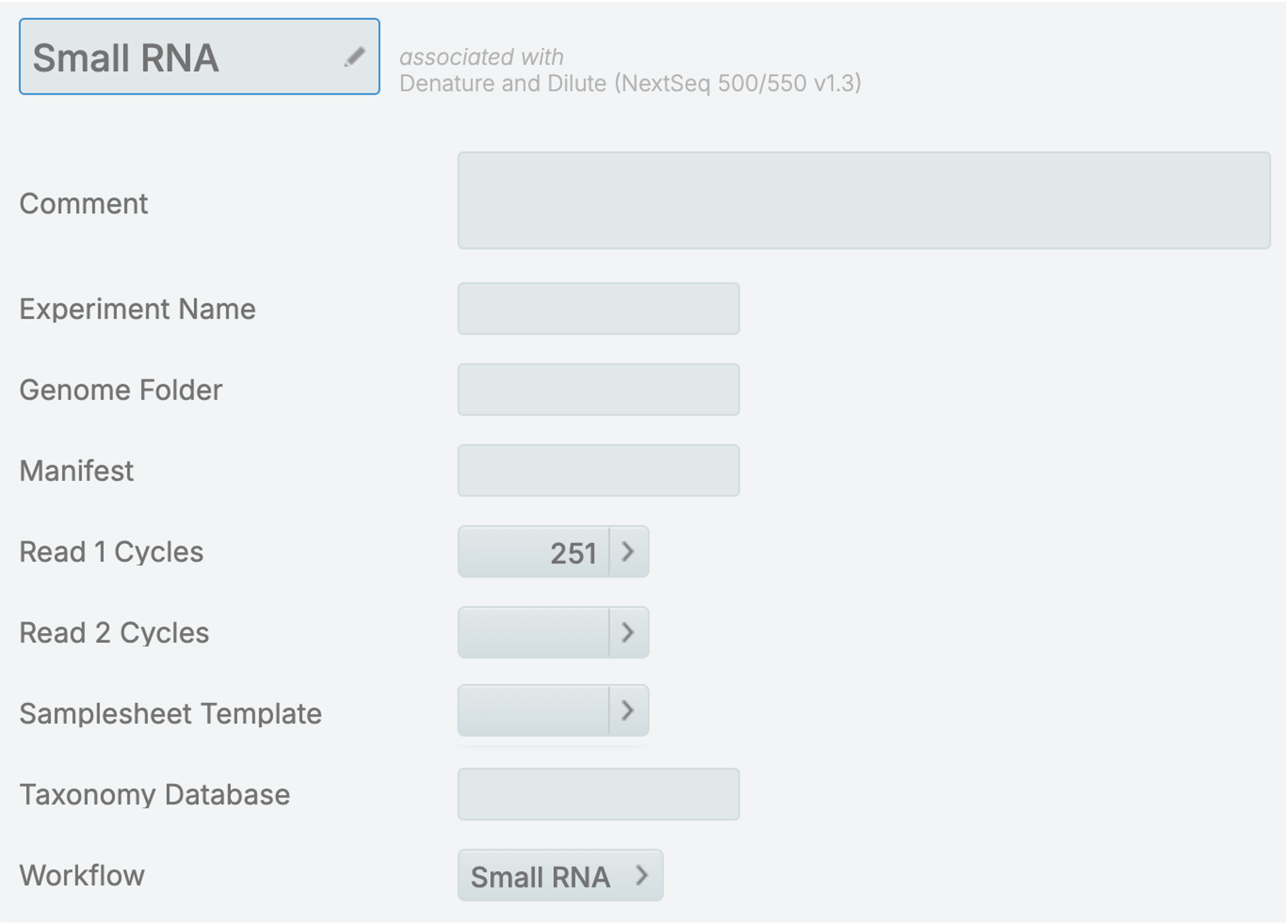
   | Small RNA             | <ul><li>Read 1 Cycles = 251</li><li>Workflow = Small RNA</li></ul>  | <div><figure><img src="/files/9KtIbiRSfdRiuGaPxaPA" alt=""><figcaption></figcaption></figure></div> |
4. Update the following Group of Defaults:

   | **Group of Defaults** | **Changes Required**                                                                                                              | **Screenshot**                                                                                      |
   | --------------------- | --------------------------------------------------------------------------------------------------------------------------------- | --------------------------------------------------------------------------------------------------- |
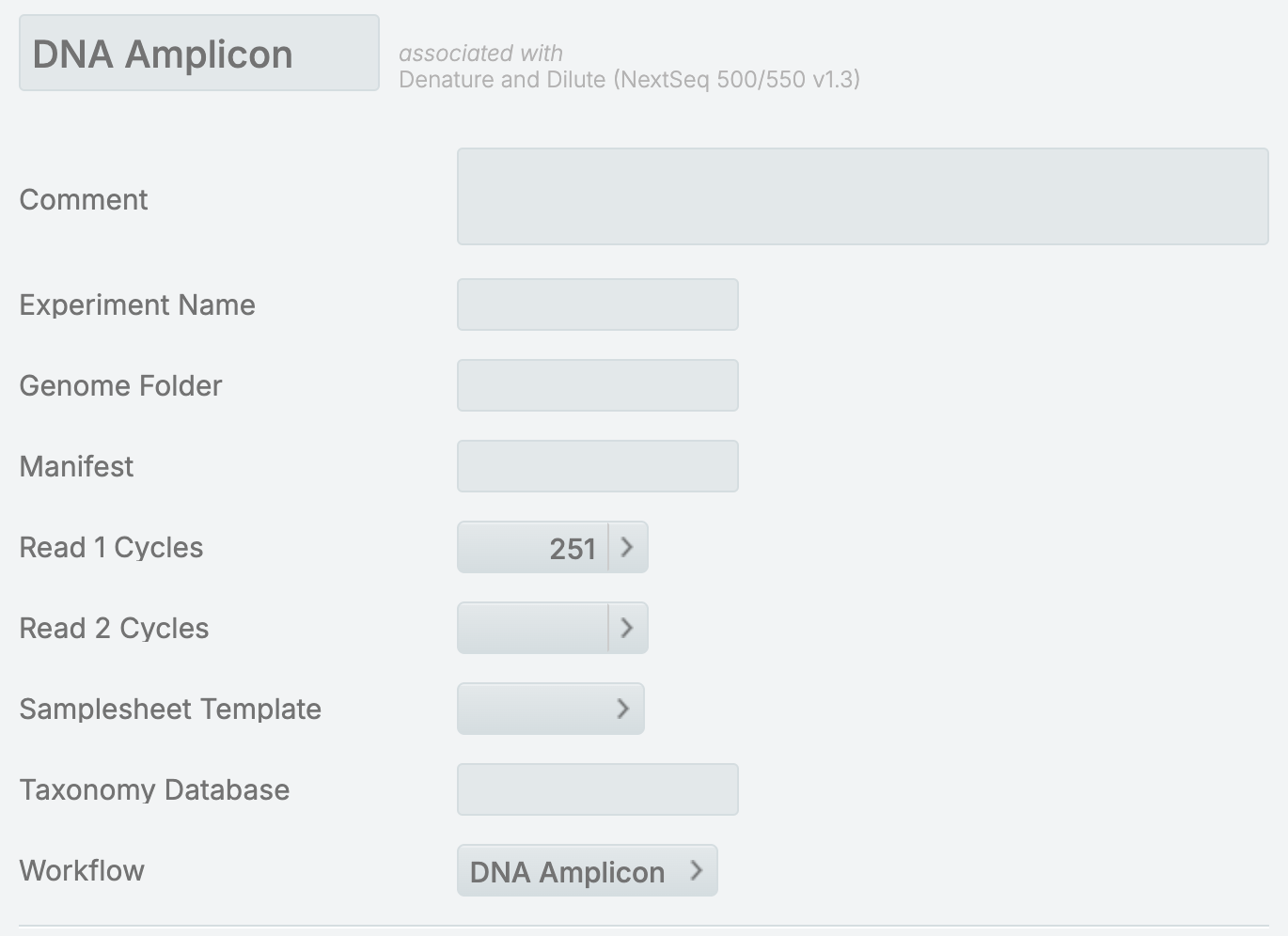
   | Custom Amplicon       | <ul><li>Rename to <em>DNA Amplicon</em></li><li>Update <strong>Workflow</strong> field to <em>DNA Amplicon</em></li></ul>         | <div><figure><img src="/files/3kC5xMr0YA9pY6r2o38X" alt=""><figcaption></figcaption></figure></div> |
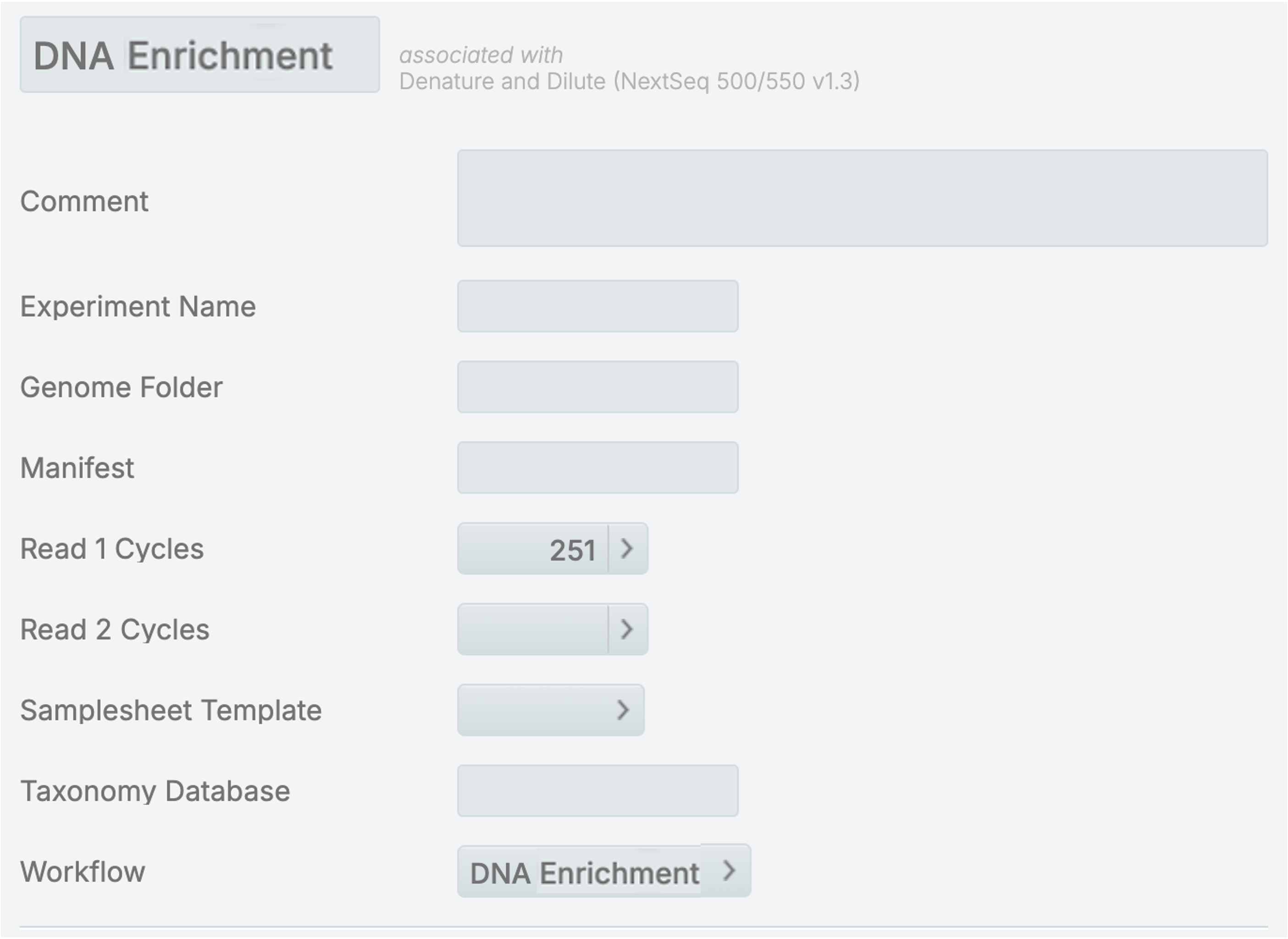
   | Enrichment            | <ul><li>Rename to <em>DNA Enrichment</em></li><li>Update <strong>Workflow</strong> field to <em>DNA Enrichment</em></li></ul>     | <div><figure><img src="/files/RgWNElszKsFbX6BRp704" alt=""><figcaption></figcaption></figure></div> |
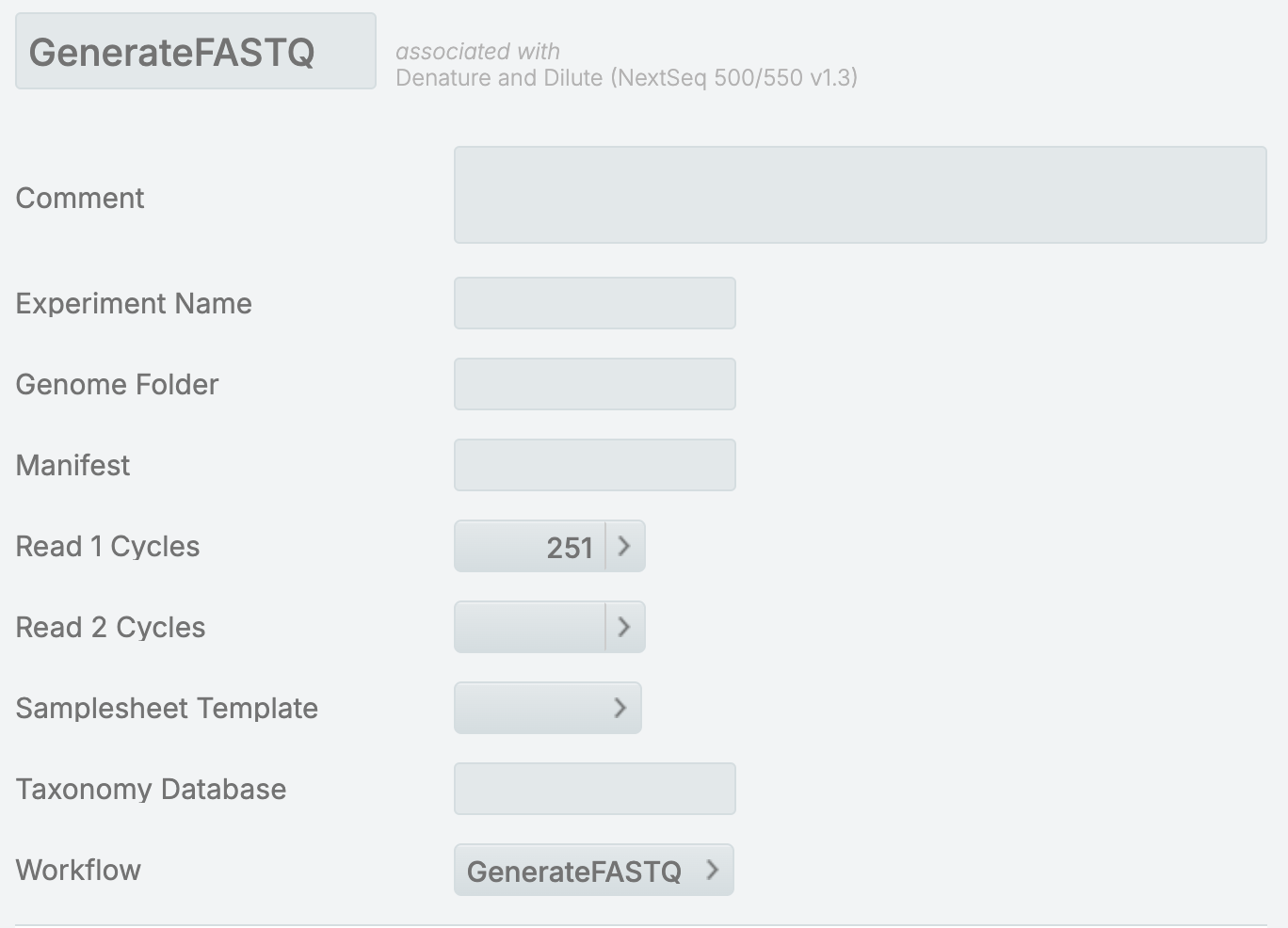
   | Generate FASTQ        | <ul><li>Rename to <em>GenerateFASTQ</em></li></ul>                                                                                | <div><figure><img src="/files/D7q47AyobXwg70szfWY5" alt=""><figcaption></figcaption></figure></div> |
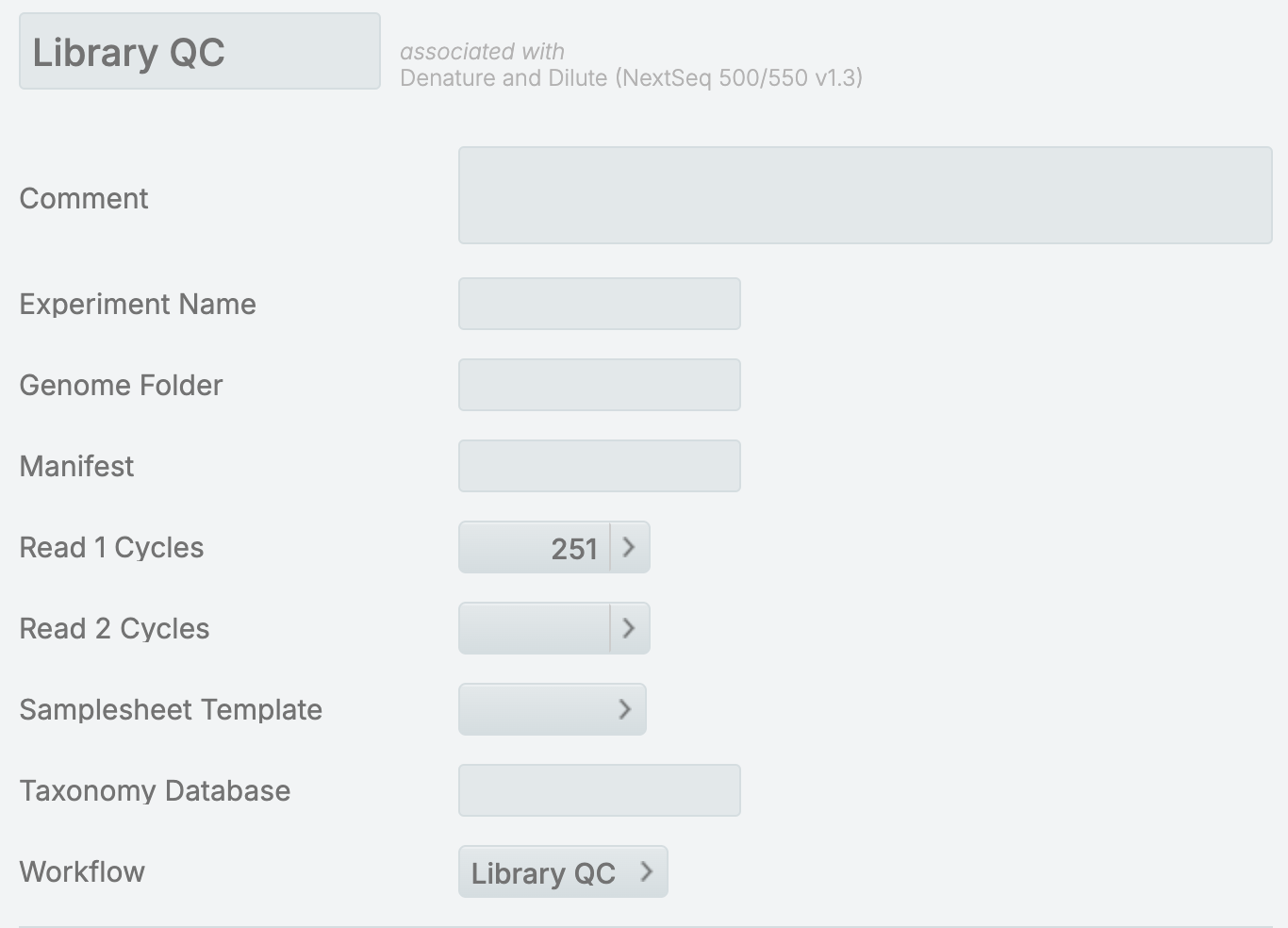
   | Library QC            | <ul><li>Update <strong>Workflow</strong> field to <em>Library QC</em></li></ul>                                                   | <div><figure><img src="/files/6ly99Nx9H8LDZ8DYxGQe" alt=""><figcaption></figcaption></figure></div> |
   | Metagenomics          | <ul><li>Rename to <em>16S Metagenomics</em></li><li>Update <strong>Workflow</strong> field to <em>16S Metagenomics</em></li></ul> | <div><figure><img src="/files/jLh8SlKCKOcBKJrZhQs0" alt=""><figcaption></figcaption></figure></div> |

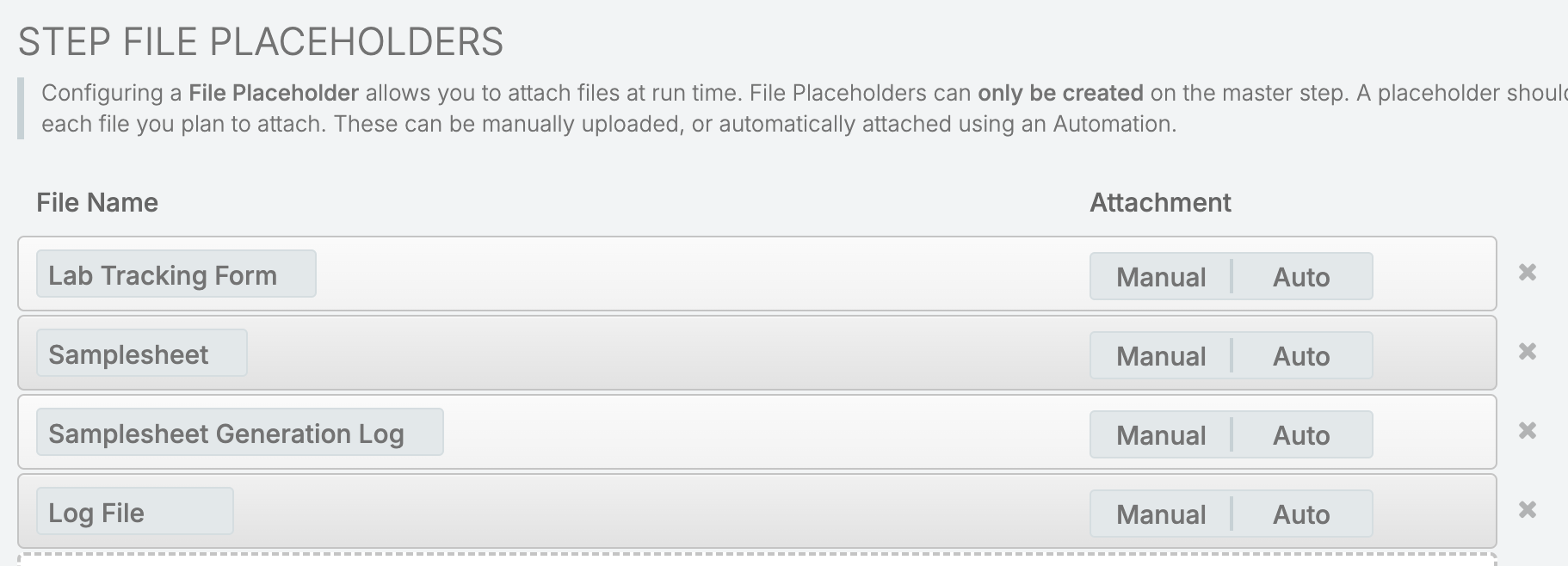
**Step File Placeholders**

1. From Configuration, select the Lab Work tab.
2. Select the **Denature and Dilute** Master Step.
3. Rename the following Step File Placeholders under Record Details milestone:
   * from **bcl2fastq SampleSheet** to **Samplesheet**
   * from **bcl2fastq SampleSheet Generation Log** to **Samplesheet Generation Log**
<figure><img src="/files/GWK8iHD4QB9OslOoUvvh" alt=""><figcaption></figcaption></figure>

### Replace Template Files

Replace the following template files at */opt/gls/clarity/extensions/conf/driverfiletemplates/*:

* BCL2FASTQ\_Reverse\_Complement\_Samplesheet.csv with NextSeq\_ReverseComplement\_Samplesheet.csv

{% file src="/files/FWIQA8BiA30V80vxRQLT" %}

* BCL2FASTQ\_Samplesheet.csv with NextSeq\_Samplesheet.csv

{% file src="/files/KaDqFa4bvXHRGRe5uCjc" %}

{% hint style="info" %}
Contact Illumina Support to replace the files if required.
{% endhint %}


---

# Agent Instructions: Querying This Documentation

If you need additional information that is not directly available in this page, you can query the documentation dynamically by asking a question.

Perform an HTTP GET request on the current page URL with the `ask` query parameter:

```
GET https://help.connected.illumina.com/clarity-lims/instruments-and-integrations/nextseq550/nextseq550-v2.5.0/nextseq550-v2.5.0-manual-upgrade.md?ask=<question>
```

The question should be specific, self-contained, and written in natural language.
The response will contain a direct answer to the question and relevant excerpts and sources from the documentation.

Use this mechanism when the answer is not explicitly present in the current page, you need clarification or additional context, or you want to retrieve related documentation sections.