> For the complete documentation index, see [llms.txt](https://help.connected.illumina.com/llms.txt). Markdown versions of documentation pages are available by appending `.md` to page URLs; this page is available as [Markdown](https://help.connected.illumina.com/dragen-stratamap/illumina-connected-multiomics/spatial-analysis/optimizing-parameters.md).
# Optimizing Parameters
If parameters have not been adjusted during analysis, the default parameters will be applied (see [Analysis Config](/dragen-stratamap/dragen-stratamap/analysis-inputs/analysis-config-file-optional.md)). Default parameters should be considered a starting point, and adjusted based on the needs of the specific sample(s). ICM provides the ability to adjust parameters (see [Re-analysis](/dragen-stratamap/illumina-connected-multiomics/spatial-analysis/re-analysis.md) ) and iterate on all the tertiary steps, including the ones run upstream in Core with the DRAGEN StrataMap pipeline.
The following tertiary steps are run in Core with the DRAGEN StrataMap pipeline, and can be re-run in ICM with adjusted parameters:
* Filtering
* Normalization
* PCA
* UMAP
* Clustering
### Example cases
Below are examples where initial results, using default parameters, highlighted issues that were then corrected for by adjusting parameters and re-running, producing improved results.
High percentage of unknown cells and/or inaccurate cell typing
Solution: Cell typing with custom biomarker reference – Refine biomarker list for each tissue type
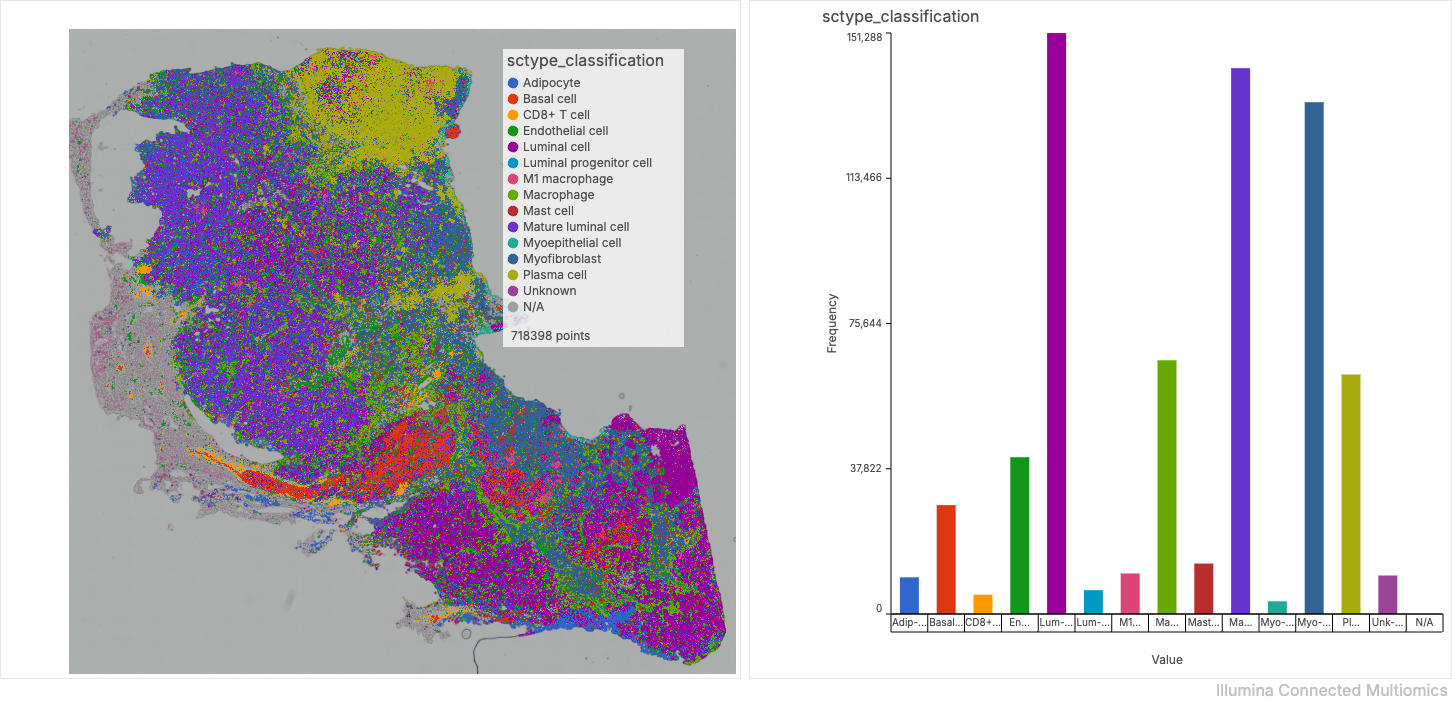
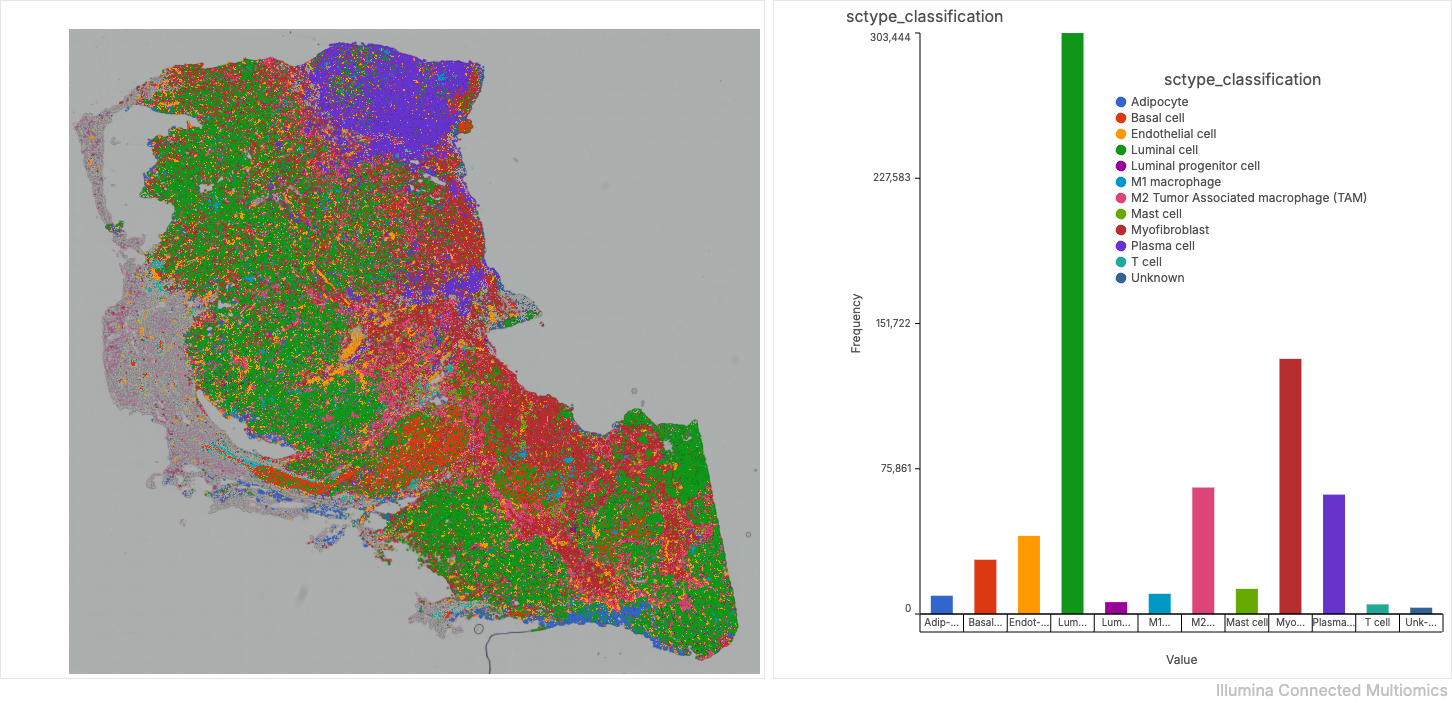
Observation: For human breast cancer sample, observed \~1.5% unknown cells and inaccurate cell typing based on histology
1. Initial human breast biomarker reference used for cell typing was inaccurate
1. Down-regulated markers were classified as up-regulated
2. Incorrect biomarkers used for various cell types
2. Refined human breast biomarker reference (Used literature searches to provide more accurate biomarkers for each cell type)
1. Included both up-regulated and down-regulated biomarkers for each cell type when appropriate
2. Included cell types specific to differentiation or activation states only when high confidence biomarkers are available
3. Save tissue specific biomarker reference as .txt file and upload to ICA project
4. Import biomarker reference into ICM
1. Select study of interest > + Add Data > Select from ICA project > Library file > ScType
2. Select biomarker reference to import over from ICA > Add selected data
3. Custom biomarker reference should now be available for cell typing in ICM
5. Rerun cell typing in ICM with optimized biomarker reference, reduced to \~0.5% unknown cells and improved cell typing based on histology
{% hint style="info" %}
Accuracy of cell typing can also be affected by inaccurate clustering results. Only one cell type can be called per cluster. Please check clustering results and rerun clustering with adjusted parameters to minimize likelihood of merged clusters.
{% endhint %}
Default %mtRNA filter is filtering out high number of cells in mtRNA rich tissue
Problem: Default %mtRNA filter is filtering out high number of cells in mtRNA rich tissue\
Mitigation: Identify better filtering criteria based on the empirical dataset
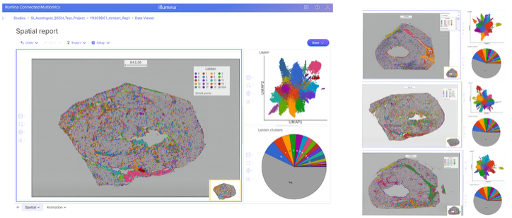
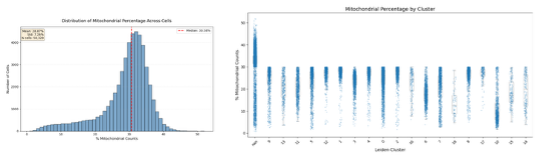
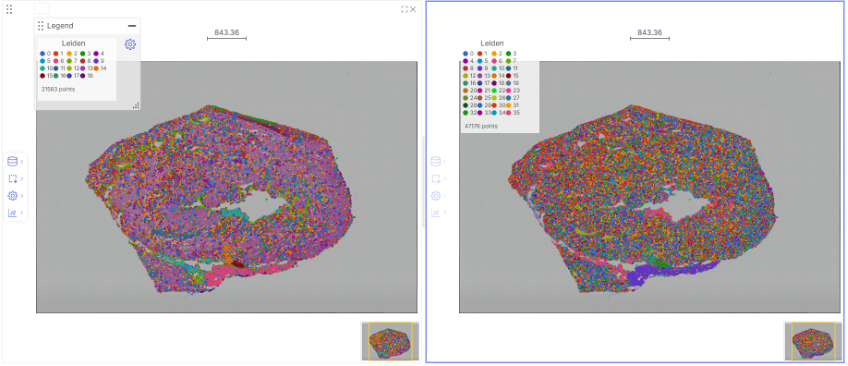
Observation: For mouse heart samples, observed >50% unknown cells for multiple replicates. In the main replicate, only 21583 cells are clustered.
* Empirically, the cells have a median mitochondrial percentage = 30.58%. The default filter is set to 30%; therefore, half the cells will be excluded from downstream clustering analysis
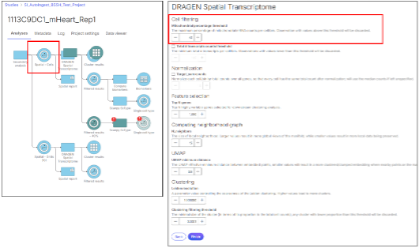
* Once the relevant thresholding is identified, the DRAGEN Spatial Transcriptome analysis can be started with the non-default Cell filtering: Mitochondrial percentage threshold. In this case, 40% was selected
* Now the % unknown cells are reduced, and 47176 cells are now included in the clustering.
---
# Agent Instructions
This documentation is published with GitBook. GitBook is the documentation platform designed so that both humans and AI agents can read, navigate, and reason over technical content effectively. Learn more at gitbook.com.
## Querying This Documentation
If you need additional information that is not directly available in this page, you can query the documentation dynamically by asking a question.
Perform an HTTP GET request on the current page URL with the `ask` query parameter, and the optional `goal` query parameter:
```
GET https://help.connected.illumina.com/dragen-stratamap/illumina-connected-multiomics/spatial-analysis/optimizing-parameters.md?ask=&goal=
```
`ask` is the immediate question: it should be specific, self-contained, and written in natural language.
`goal` is optional and describes the broader end goal you are ultimately trying to accomplish on behalf of the user. GitBook uses it to tailor the answer towards what is most useful for that goal.
The response will contain a direct answer to the question and relevant excerpts and sources from the documentation.
Use this mechanism when the answer is not explicitly present in the current page, you need clarification or additional context, or you want to retrieve related documentation sections.