> For the complete documentation index, see [llms.txt](https://help.connected.illumina.com/llms.txt). Markdown versions of documentation pages are available by appending `.md` to page URLs; this page is available as [Markdown](https://help.connected.illumina.com/emedgene/emedgene-analyze-manual/variant-visualization/variant-visualization-tool/visualization-tracks/additional-tracks.md).

# Additional tracks

These tracks appear when supporting files are available for the case.

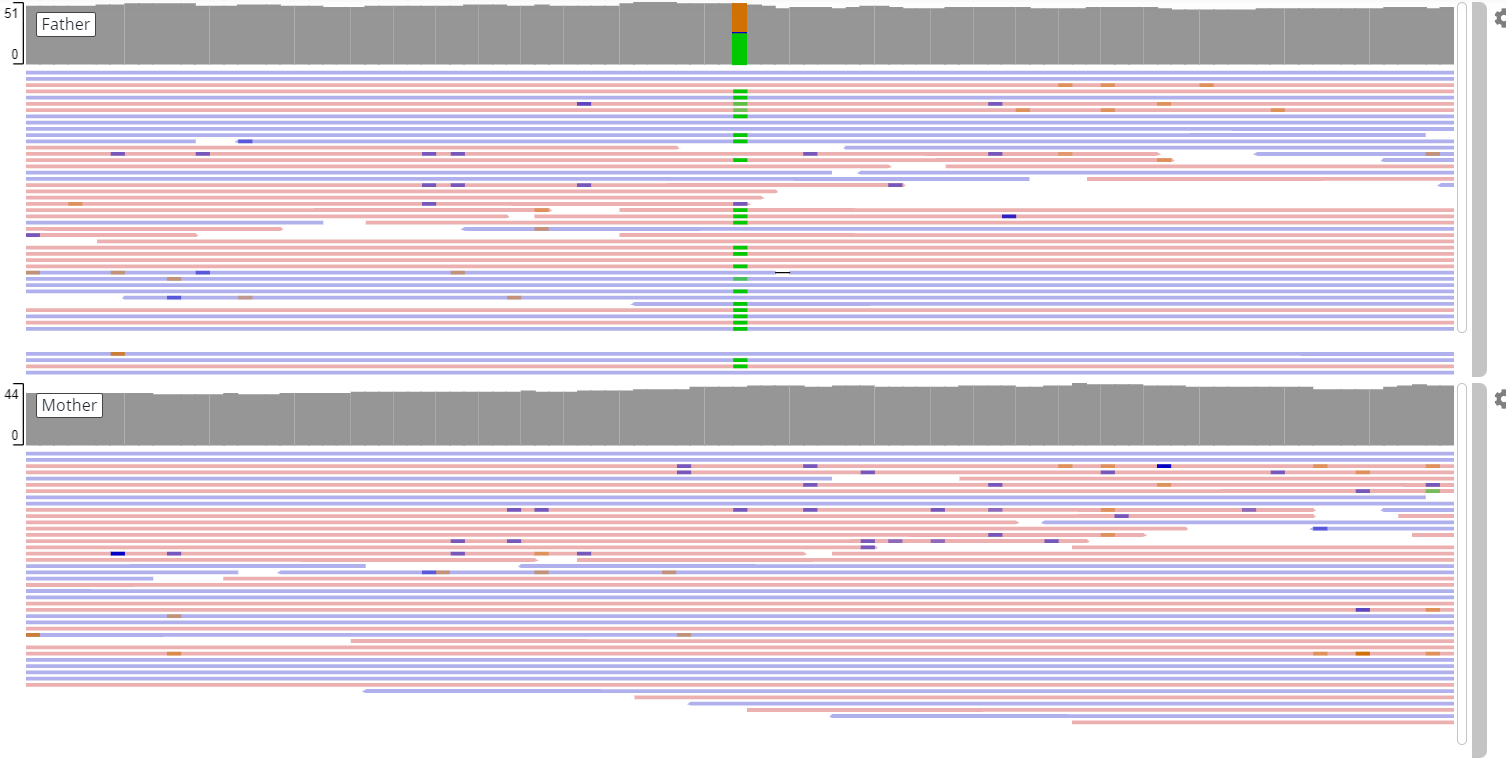
## BAM

**BAM** tracks for non-proband samples show read alignment in relatives.

<figure><img src="/files/iNk7mTmVEIUwgbQR9SdK" alt=""><figcaption><p><strong>BAM</strong> track showing read alignment for a non-proband sample.</p></figcaption></figure>

{% hint style="warning" %}
When loading **BAM/CRAM** tracks from BaseSpace storage, make sure the matching **BAI/CRAI** index files have **BaseSpace identifier numbers that are close**.

If the identifiers are far apart, the visualization may fail to load due to file lookup limitations in BaseSpace.
{% endhint %}

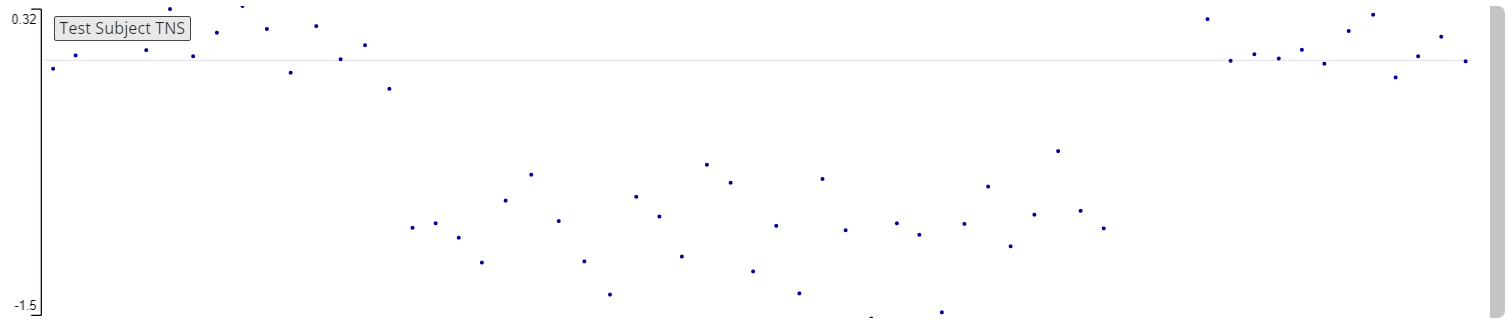
## BigWig TNS

The **BigWig TNS** track shows copy number signal after tangent normalization.

Use it to review copy number changes with reduced noise and technical bias.

This track is available for cases that include a `BigWig.tns` file.

<figure><img src="/files/w4vXA97zm1fOqNMfnP3r" alt=""><figcaption><p><strong>BigWig TNS</strong> track showing normalized copy number signal.</p></figcaption></figure>

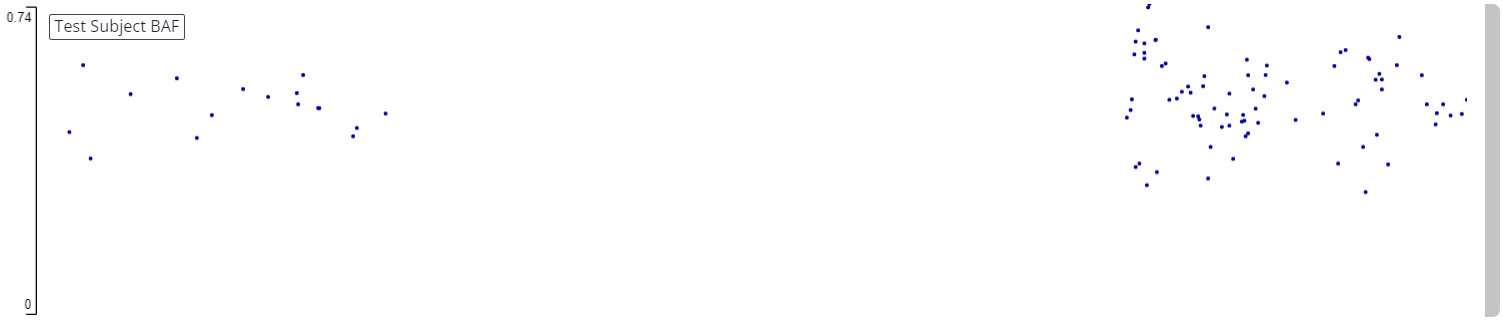
## BAF

The **BAF** track shows B-Allele Frequency. This track reveals allelic imbalance across the genome by showing the proportion of reads supporting the alternate allele.

Use it to detect events like LOH or copy number alterations.

This track is available for cases that include a `BAF.bedgraph` file.

<figure><img src="/files/purP9tPm46cBf4nb9NUp" alt=""><figcaption><p><strong>BAF</strong> track showing B-Allele Frequency across the region.</p></figcaption></figure>

## ROH

The **ROH** track shows runs of homozygosity on autosomal human chromosomes from whole-genome calls.

Use it to review homozygosity patterns that may suggest uniparental isodisomy or partial isodisomy. Multiple ROH in an individual sample can indicate parental relatedness, which may be associated with an increased risk for a recessive disease.

Hover over a region to see:

* ROH score
* Number of homozygous SNVs
* Number of heterozygous SNVs
* Start and end positions

This track is available for cases that include an `roh.bed` file.

<figure><img src="/files/iDjVgbInjvKMYlcias1t" alt=""><figcaption><p><strong>ROH</strong> track showing a run of homozygosity region.</p></figcaption></figure>

## SV VCF

The **SV VCF** track shows structural variants from the input VCF when applicable.

Use it to visualize variants that may be filtered out by the Emedgene pipeline, including breakends, translocations, and inversions.

## Log R

The **Log R** track shows the log ratio of observed probe intensity to expected intensity across the genome.

Use it to identify regions with increased (duplication) or decreased (deletion) DNA copy number.

This track is available for cases that include an `lrr.bedgraph` file.

## Target count

The **Target count** track shows raw sequencing depth for target regions before signal normalization.

This track is available for cases that include a `.target.counts.bw` file.


---

# Agent Instructions
This documentation is published with GitBook. GitBook is the documentation platform designed so that both humans and AI agents can read, navigate, and reason over technical content effectively. Learn more at gitbook.com.

## Querying This Documentation
If you need additional information that is not directly available in this page, you can query the documentation dynamically by asking a question.

Perform an HTTP GET request on the current page URL with the `ask` query parameter:

```
GET https://help.connected.illumina.com/emedgene/emedgene-analyze-manual/variant-visualization/variant-visualization-tool/visualization-tracks/additional-tracks.md?ask=<question>
```

The question should be specific, self-contained, and written in natural language.
The response will contain a direct answer to the question and relevant excerpts and sources from the documentation.

Use this mechanism when the answer is not explicitly present in the current page, you need clarification or additional context, or you want to retrieve related documentation sections.