> For the complete documentation index, see [llms.txt](https://help.connected.illumina.com/llms.txt). Markdown versions of documentation pages are available by appending `.md` to page URLs; this page is available as [Markdown](https://help.connected.illumina.com/icm/analyses/analysis-functionality/task-menu/biological-interpretation/get-targeted-mrna.md).
# Get targeted mRNA
On a miRNA list, in order to perform biological interpretation, the targeted mRNA with gene symbol information is needed - gene symbol is used to map to the pathway database
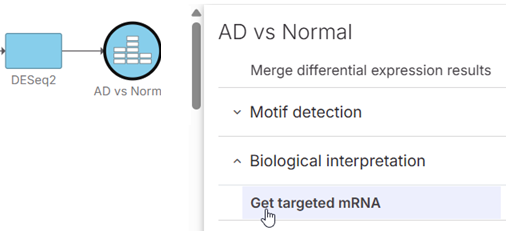
On a data node contains miRNA list, e.g. differential analysis result data, **Biological interpretation > Get targeted mRNA** task will be enabled.
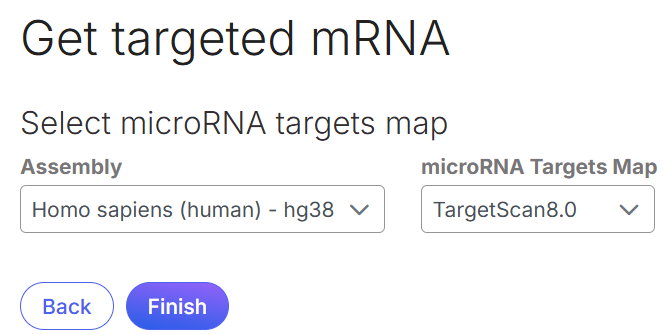
Database like TargetScan can be used to get targeted mRNAs for a specific mRNA. Specify the database in the dialog, and click **Finish**.
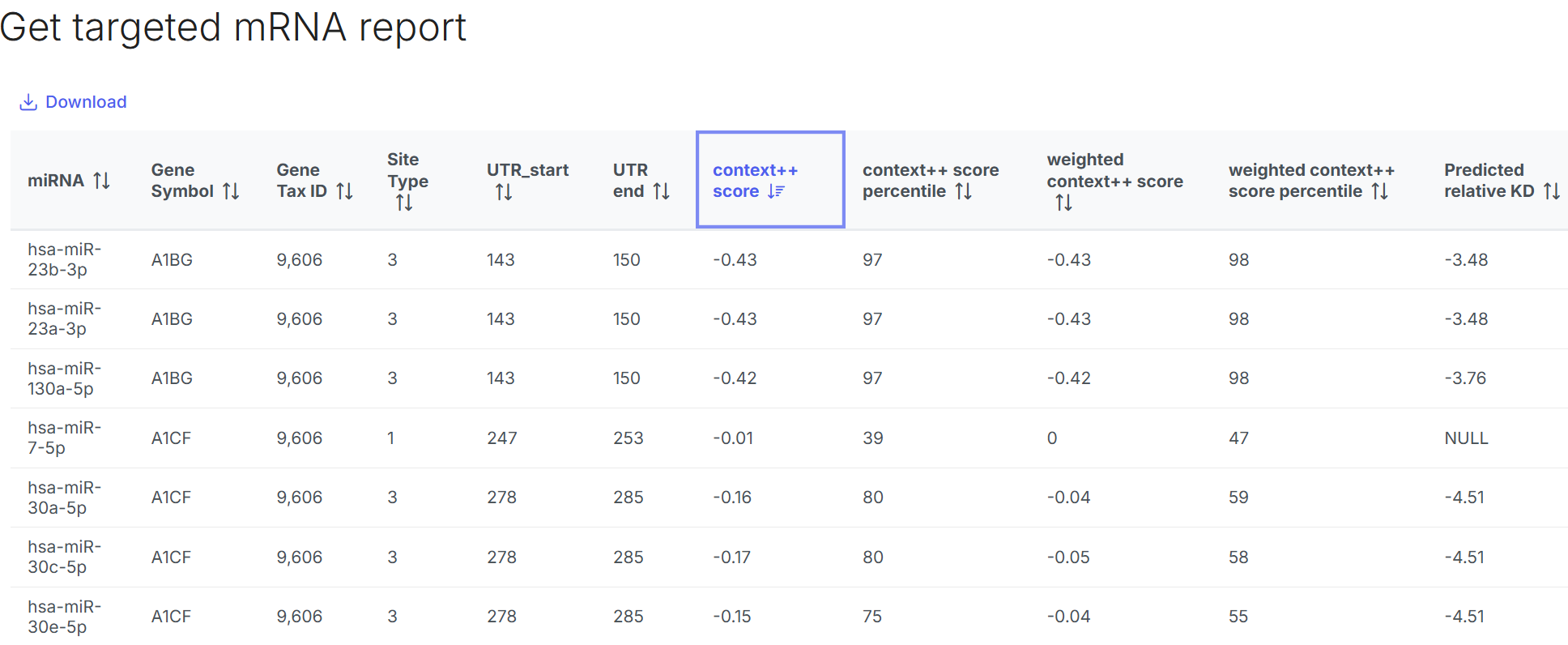
Double click on the Targeted mRNA node to open the report
* Context++ score: estimating the strength of repression, more negative values suggest stronger predicted repression, this is the key metric for ranking predicted targets
* Context++ score percentile: percentile ranking of the score compared to all predictions, higher percentile means stronger predicted effect
* Weighted Context++ score: adjusted score considering multiple sites in the same transcript
* Predicted relative KD: predicted relative dissociation constant is to measure the affinity between miRNA and targeted mRNA, lower KD means stronger binding affinity, higher KD means weaker binding.
---
# Agent Instructions
This documentation is published with GitBook. GitBook is the documentation platform designed so that both humans and AI agents can read, navigate, and reason over technical content effectively. Learn more at gitbook.com.
## Querying This Documentation
If you need additional information that is not directly available in this page, you can query the documentation dynamically by asking a question.
Perform an HTTP GET request on the current page URL with the `ask` query parameter, and the optional `goal` query parameter:
```
GET https://help.connected.illumina.com/icm/analyses/analysis-functionality/task-menu/biological-interpretation/get-targeted-mrna.md?ask=&goal=
```
`ask` is the immediate question: it should be specific, self-contained, and written in natural language.
`goal` is optional and describes the broader end goal you are ultimately trying to accomplish on behalf of the user. GitBook uses it to tailor the answer towards what is most useful for that goal.
The response will contain a direct answer to the question and relevant excerpts and sources from the documentation.
Use this mechanism when the answer is not explicitly present in the current page, you need clarification or additional context, or you want to retrieve related documentation sections.