# Kruskal-Wallis

* [Running the task](#running-the-task)
* [Report](#report)

The Kruskal-Wallis and Dunn's tests (Non-parametric ANOVA) task is used to identify deferentially expressed genes among two or more groups. Note that such rank-based tests are generally advised for use with larger sample sizes.

## Running the task

To invoke the Kruskal-Wallis test, select any count-based data nodes, these include:

* Gene counts
* Transcript counts
* Normalized counts

Select *Statistics > Differential analysis* in the context-sensitive menu, then select *Kruskal-Wallis* (Figure 1).

<div align="left"><figure><img src="/files/ivJlIwpOPuVGDCfWBni8" alt=""><figcaption><p>Figure 1. Select any count node to invoke the Non-parametric ANOVA task</p></figcaption></figure></div>

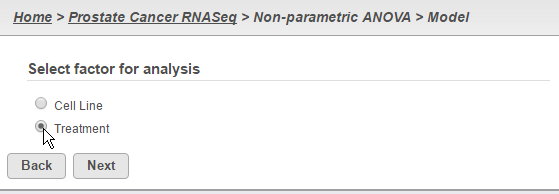
Select a specific factor for analysis and click the **Next** button (Figure 2). Note that this task can only take into account one factor at a time.

<div align="left"><figure><img src="/files/dgh0Y4J4klSKMBsLAOvC" alt=""><figcaption><p>Figure 2. Select one factor for analysis</p></figcaption></figure></div>

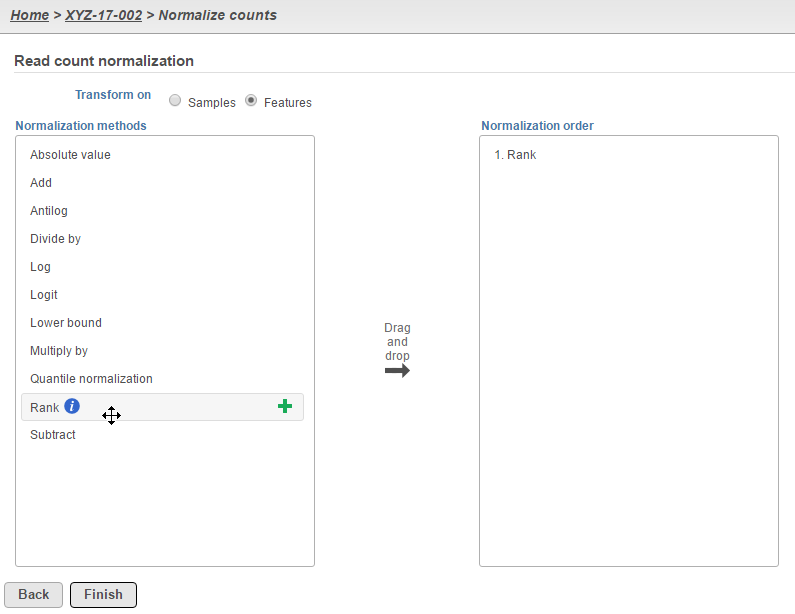
For more complicated experimental designs, go back to the original count data that will be used as input and perform **Rank normalization** at the *Features* level (Figure 3). The resulting *Normalized counts* data node can then be analyzed using the **Detect differential expression (ANOVA)** task, which can take into account multiple factors as well as interactions.

<div align="left"><figure><img src="/files/kThHNtJaF3jxLjc52QSv" alt=""><figcaption><p>Figure 3. Normalize your count data by rank to do non-parametric testing on more complicated experimental designs</p></figcaption></figure></div>

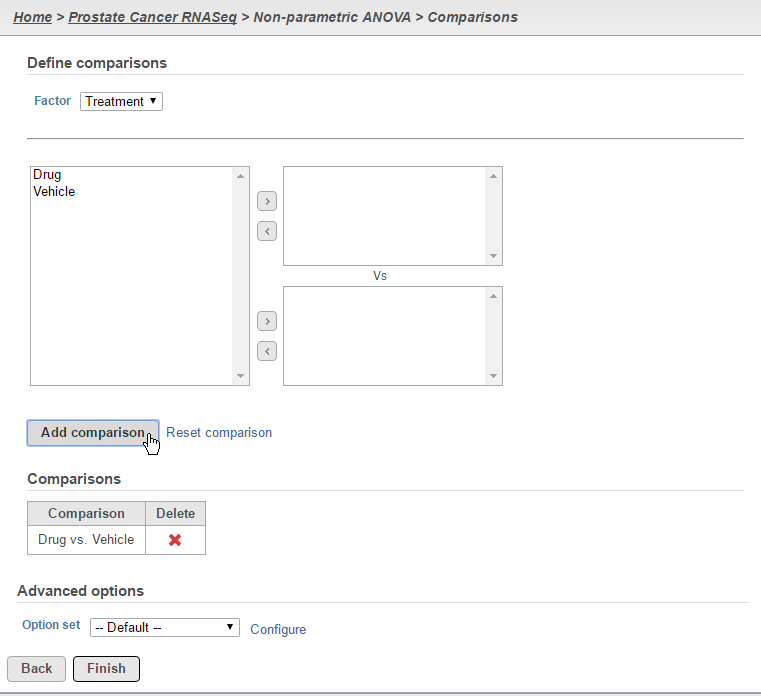
Define the desired comparisons between groups and click the **Finish** button (Figure 4). Note that comparisons can only be added between single group (i.e. one group per box).

<div align="left"><figure><img src="/files/cIdQ9r4qMRV0vYtIL5we" alt=""><figcaption><p>Figure 4. Set-up desired comparisons</p></figcaption></figure></div>

## Report

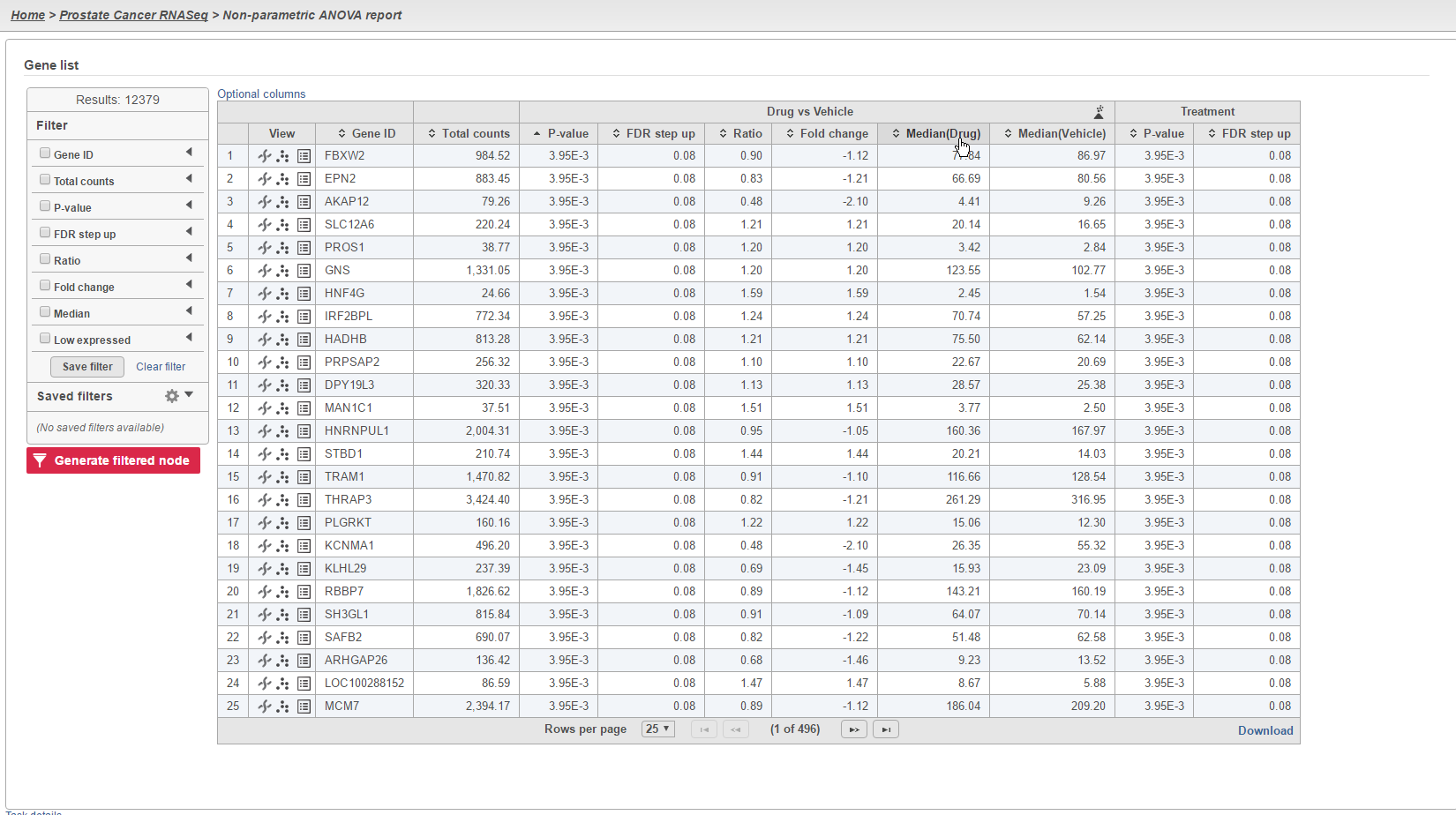
The results of the analysis will appear similar to other differential expression analysis results. However, the column to indicate mean expression levels for each group will display the median instead (Figure 5).

<div align="left"><figure><img src="/files/xcASHktH67zZqiRr3YyE" alt=""><figcaption><p>Figure 5. The task's ANOVA report will display the median instead of the LSmean</p></figcaption></figure></div>

## Additional Assistance

If you need additional assistance, please visit [our support page](http://www.partek.com/support) to submit a help ticket or find phone numbers for regional support.


---

# Agent Instructions: Querying This Documentation

If you need additional information that is not directly available in this page, you can query the documentation dynamically by asking a question.

Perform an HTTP GET request on the current page URL with the `ask` query parameter:

```
GET https://help.connected.illumina.com/partek/partek-flow/user-manual/task-menu/differential-analysis/kruskal-wallis.md?ask=<question>
```

The question should be specific, self-contained, and written in natural language.
The response will contain a direct answer to the question and relevant excerpts and sources from the documentation.

Use this mechanism when the answer is not explicitly present in the current page, you need clarification or additional context, or you want to retrieve related documentation sections.