> For the complete documentation index, see [llms.txt](https://help.connected.illumina.com/llms.txt). Markdown versions of documentation pages are available by appending `.md` to page URLs; this page is available as [Markdown](https://help.connected.illumina.com/dragen-5-base/additional-information/key-output-files-and-metrics.md).
# Key Output Files and Metrics
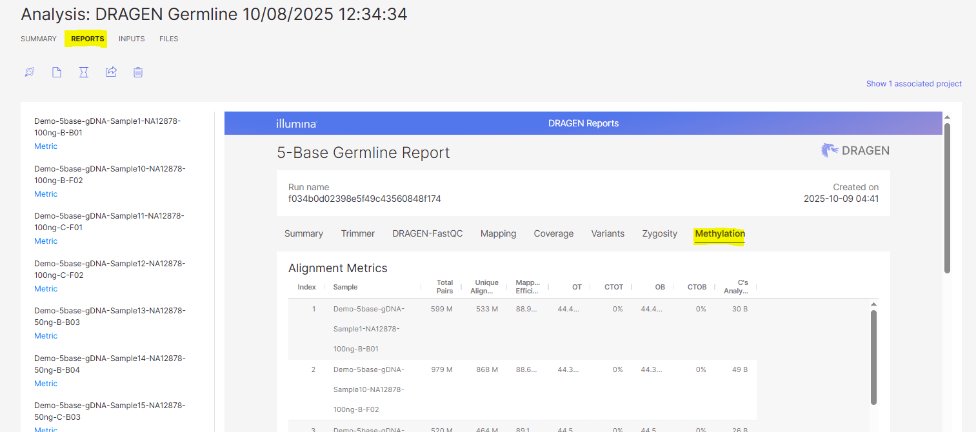
Navigate to the completed analysis run to review the results.
Results files per sample can be found within the analysis.
### Key Output Files
To learn more about key 5-Base specific output files, reference the DRAGEN documentation:
To learn more about non-5-Base specific output files, reference the DRAGEN DNA Pipeline documentation:
### Where to Start when Reviewing QC
A positive (pUC19) and negative (lambda) control genome are spiked-in to each sample during library prep. Neither control is fully methylated/unmethylated, but the pUC19 control should have over 90% methylation, and the lambda control should have under 1.5% methylation. To check the methylation for these controls, review the DRAGEN Report and navigate to the Methylation tab, and then the Context QC table. The "% of CpG" column reflects the % methylation of these controls.
### CX Report
The \*CX\_report file will be generated for all analyses. It will have the following format:
* Each line = 1 cytosine in reference genome (with non-zero coverage)
* \# reads can be dedup’d or not, depending on analysis settings (we use dedupping)
* mC=methylated, C=unmethylated support
* Overall methylation level = mC\_reads / (mC\_reads + C\_reads)
* Overall coverage (STRANDED) = mC\_reads + C\_reads
---
# Agent Instructions
This documentation is published with GitBook. GitBook is the documentation platform designed so that both humans and AI agents can read, navigate, and reason over technical content effectively. Learn more at gitbook.com.
## Querying This Documentation
If you need additional information that is not directly available in this page, you can query the documentation dynamically by asking a question.
Perform an HTTP GET request on the current page URL with the `ask` query parameter, and the optional `goal` query parameter:
```
GET https://help.connected.illumina.com/dragen-5-base/additional-information/key-output-files-and-metrics.md?ask=&goal=
```
`ask` is the immediate question: it should be specific, self-contained, and written in natural language.
`goal` is optional and describes the broader end goal you are ultimately trying to accomplish on behalf of the user. GitBook uses it to tailor the answer towards what is most useful for that goal.
The response will contain a direct answer to the question and relevant excerpts and sources from the documentation.
Use this mechanism when the answer is not explicitly present in the current page, you need clarification or additional context, or you want to retrieve related documentation sections.
.png?alt=media)
.jpg?alt=media)
%20(1).png?alt=media)