> For the complete documentation index, see [llms.txt](https://help.connected.illumina.com/llms.txt). Markdown versions of documentation pages are available by appending `.md` to page URLs; this page is available as [Markdown](https://help.connected.illumina.com/clarity-lims/api-and-database/api-docs/application-examples/page-15/starting-a-protocol-step-via-the-api.md).
# Starting a Protocol Step via the API
In some circumstances, it can be desirable to automate the initiation of a step in Clarity LIMS. In this scenario, the step is thus executed without any user interaction, ie, a liquid-handling robot drives the step to completion. This example provides a solution that allows for automatic invocation of steps via the API.
### Solution
#### Querying the Queues Endpoint
Before we can invoke a step, we must first employ the **queues** endpoint.
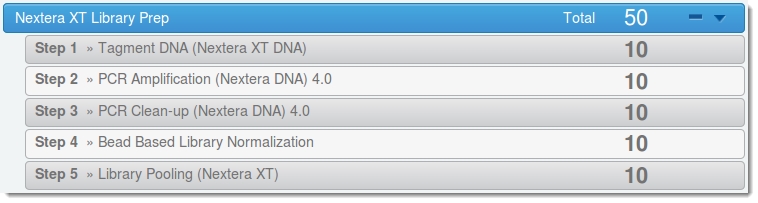
Every step displayed in the Clarity LIMS web interface has as associated queue, the contents of which can be queried. This image of the Nextera XT Library Prep shows the samples queued for each step in the **Nextera XT Library Prep** protocol.
For this example, we investigate the queue for the **Step 1 - Tagment DNA (Nextera XT DNA)** step.
**Step 1: Find Step ID**
First, we must find the LIMS ID of the step. We query the **configuration/workflows** resource and hone in on the **Nextera XT for MiSeq** protocol:
```
```
From the XML returned, we can see that the **Tagment DNA (Nextera XT DNA)** step has an associated stage, with an ID of 691:
<stage uri="http://192.168.8.10:8080/api/v2/configuration/workflows/309/stages/691" name="Tagment DNA (Nextera XT DNA)"/>
**Step 2: Find Stage ID**
If we now query this stage ID, we see something similar to the following:
We now have the piece of information we need: namely the **ID 567** that is associated with this step.
**Step 3: Query the Queues Resource**
We can use this ID to query the **queues** resource, which provide us with something similar to the following:
```
2013-04-07T17:01:00.636-07:001:1
```
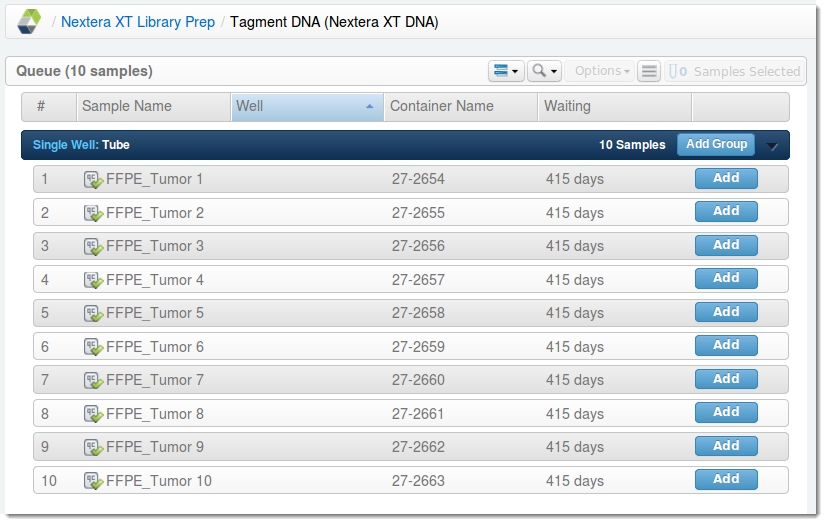
This result matches the information displayed in the Clarity LIMS web interface. In the next image, we can see the derived samples awaiting the step.
#### **Initiating the Step**
Now that we have the contents of the queue, starting the step programmatically is quite simple.
All that is required is a POST to the **steps** API endpoint. The XML input payload to the POST request will take the following form:
```
96 well plate
```
If the POST operation was successful, the API will return XML of the following form (for details, see the [About the Code](#h_3047a4d3-38b9-4378-b09a-3295e92a7476) section):
```
Tagment DNA (Nextera XT DNA)
```
### User Interaction
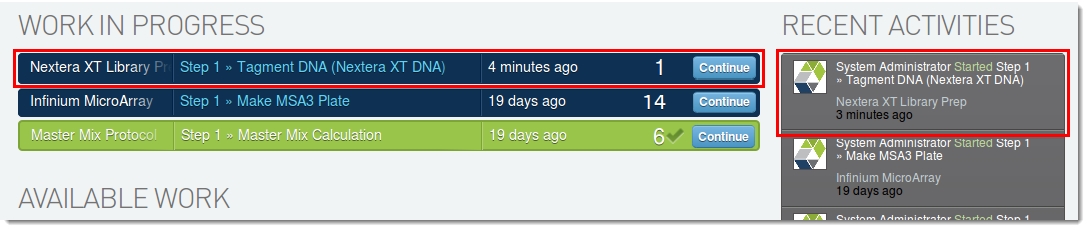
In the Clarity LIMS web interface, two pieces of evidence indicate that the step has been initiated:
* The partially completed step is displayed in the **Work in Progress** area.
* The **Recent Activities** area shows that the protocol step was started.
### About the Code
The XML payload POSTed to the steps resource is quite simple in nature. In fact there are only three variables within the payload:
1\. The step to be initiated:
{% code overflow="wrap" %}
```
```
{% endcode %}
2\. The type of output container to be used (if appropriate):
```
96 well plate
```
3\. The URI(s) of the artifact(s) on which the step should be run, along with the number of replicates the step needs to create (if appropriate):
```